Parrot ReplayInstant Voice Capture & Replay
No Stream Deck. No Voicemeeter. No complex setup.
Watch The Demo
See Parrot Replay In Action
Watch real gameplay reactions, instant voice replay demos, Discord examples, and a quick overview of how Parrot Replay works.

Instant Replay
Capture recent voice chat and replay it instantly using simple hotkeys.
No Complex Setup
No Voicemeeter, Stream Deck, or complicated routing required.
Built For Reactions
Designed for funny in-game moments, Discord demos, and content creation.
What is Parrot Replay?
Your voice chat,
instantly replayable.
Parrot Replay runs in the background while you play. When something worth keeping happens, press a hotkey and it plays straight back into voice chat.
No Stream Deck. No Voicemeeter. Just your keyboard.
React after it happens
The last few seconds are always ready. Hit the hotkey when it happens.
The whole lobby hears it
Clips play straight back into voice chat.
Just your keyboard
No extra hardware. No complicated setup. Works straight from your keyboard.
Capture the last few seconds and play it back with a hotkey. Reactions, quotes, callbacks. Always at the right moment.
Pitch shift, reverse, speed, wobble. Change how clips sound on the fly.
Trim clips to the exact moment and save your best ones for later.
Keep separate hotkeys, clips, and settings for each game or squad. Switch instantly.
Audio Capture
Pick your mode
Start instantly, or choose cleaner voice capture
WASAPI
Default modeThe quickest way to get started. Captures game and voice together using the included VB-Cable.
- Quick setup, ready in minutes
- Uses the included VB-Cable
- Game and voice captured together
A + B
Cleaner audioSeparates your voice from game audio for cleaner, more precise replays.
- Voice separated from game audio
- Cleaner, more precise replays
- More control over what gets captured
*If you purchase the VB-Audio A+B driver through our link, we may receive a small commission at no extra cost to you.
Interface
Built for Instant Control
Set it up once. Instant replay, every time you need it
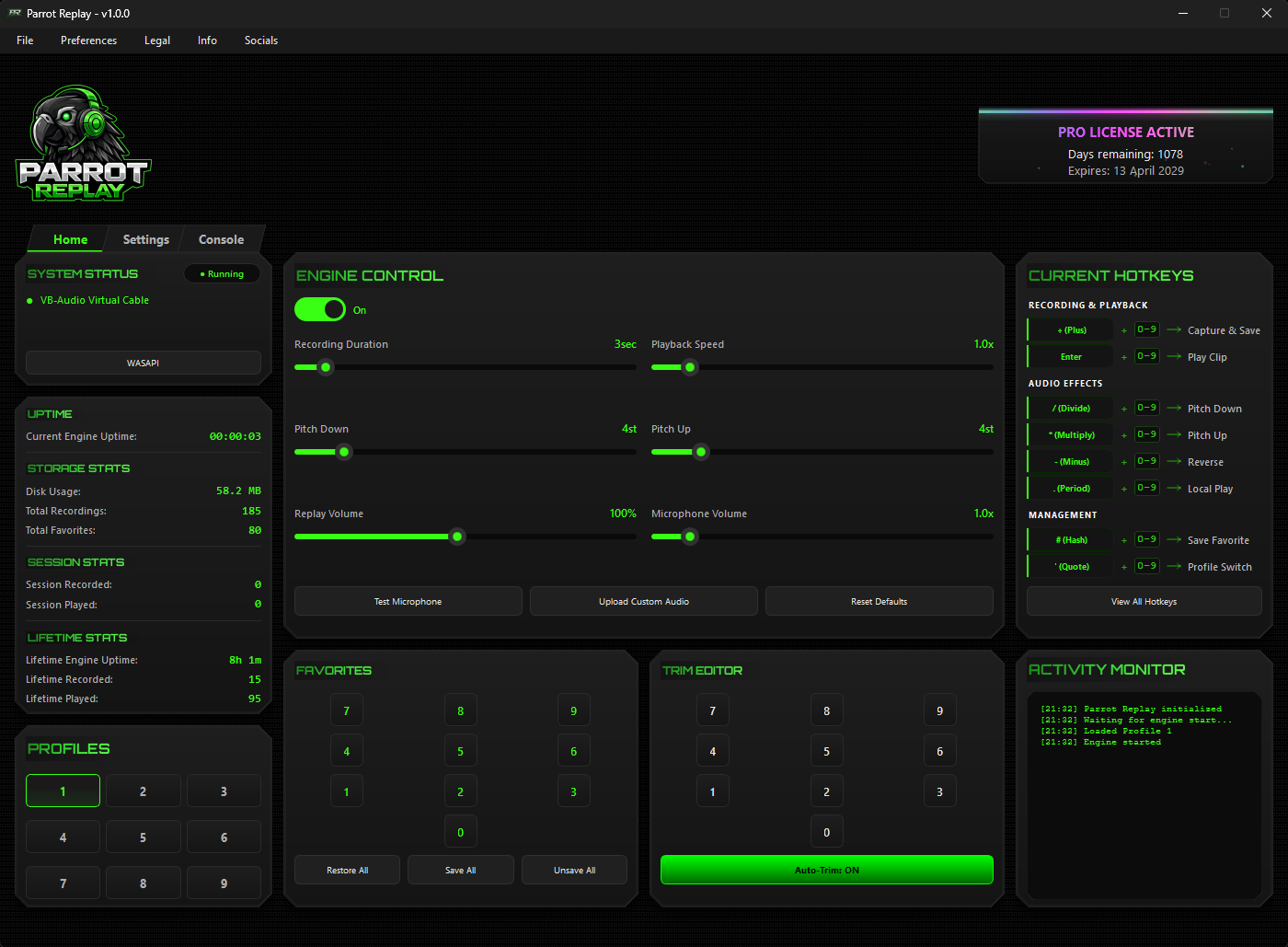
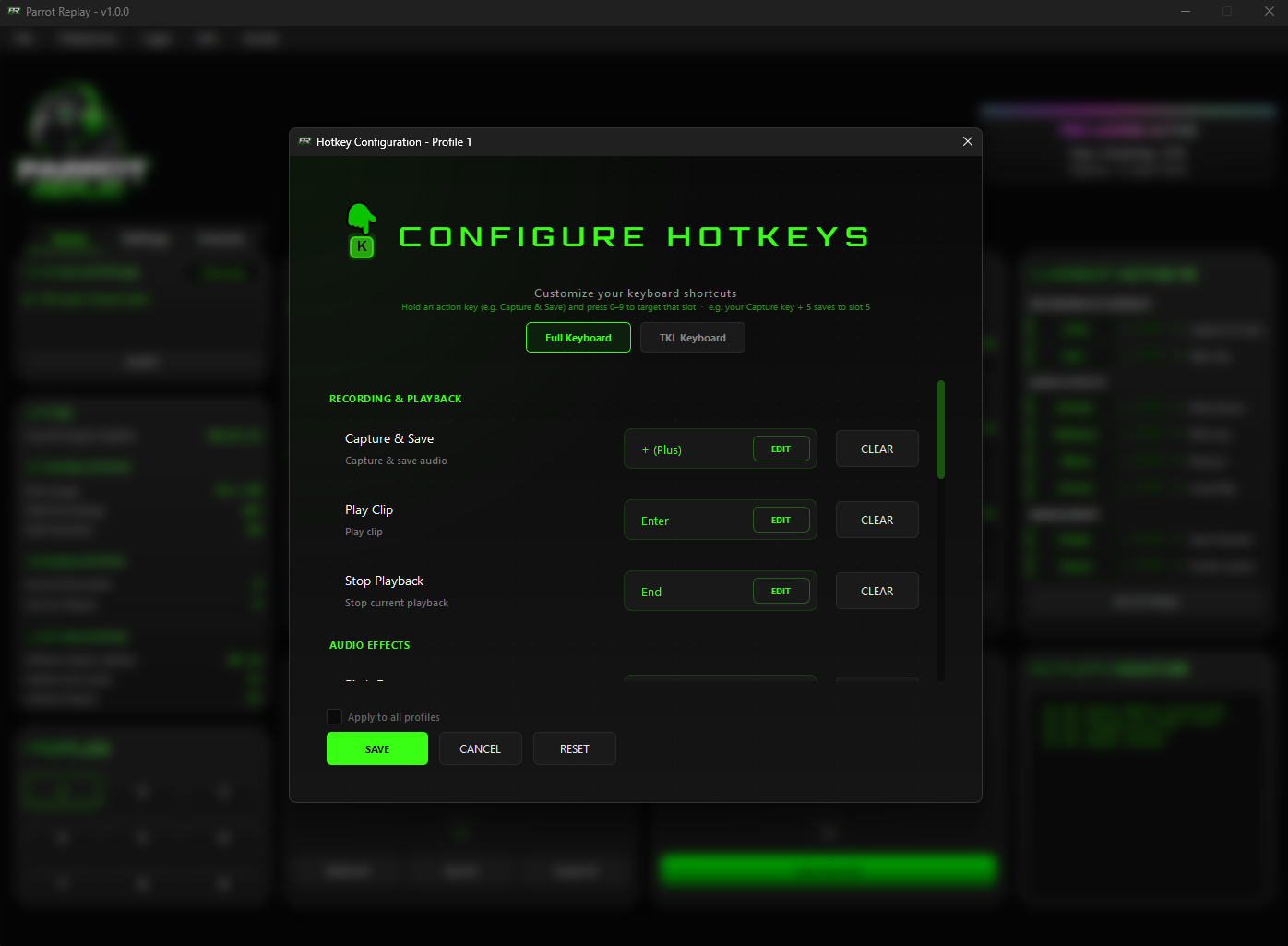
Instant Replay
Capture and replay instantly with simple hotkeys
Audio Effects
Apply pitch, speed, reverse, and wobble effects to any clip.
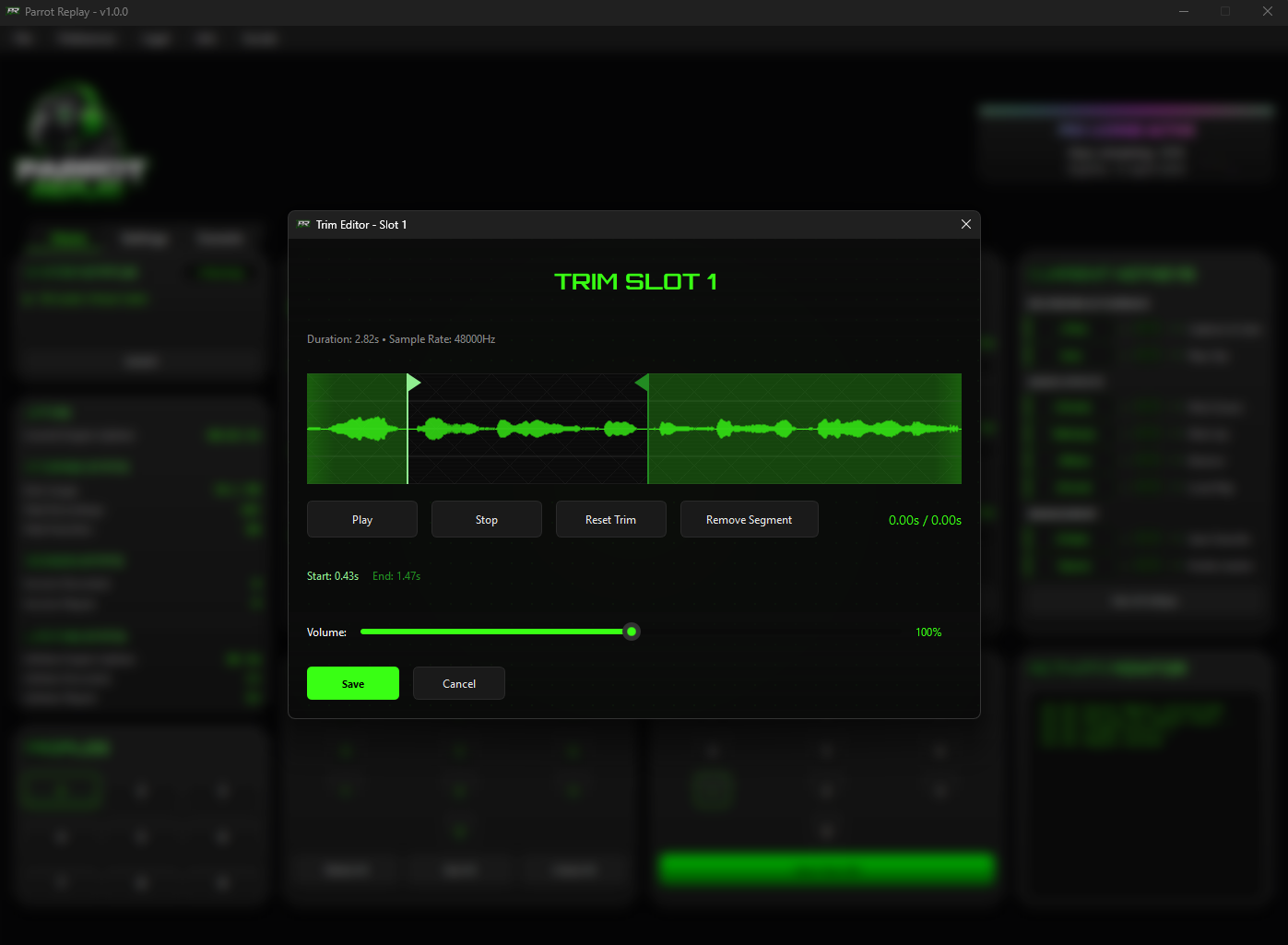
Trim Editor
Trim clips quickly so only the best part plays
Favorites System
Save clips so they aren’t lost and restore them anytime.
9 Profiles
Keep separate hotkeys and setups for different games or apps
Auto-Trim
Automatically removes silence and dead air
Workflow
How It Works
Set it up once, then you’re ready to go
Point It at Your Voice Chat
Set your game or app to use VB-Audio as your mic. Takes seconds.
Leave It Running
Turn on the engine. It runs quietly in the background, ready when you need it.
Hit the Hotkey
When something worth keeping happens, press your capture key. Done.
Play It Back
Replay clips instantly in voice chat, trim them, add effects, or save your favorites.
Getting Started
Quick Setup Guide
Get set up in minutes with 4 simple steps
Install
Run the installer. The audio driver comes with it. Restart your PC once when prompted.
Download Parrot ReplayPick Your Devices
In your game or voice app, select:
- Microphone: CABLE Output (VB-Audio Virtual Cable)
- Output: Your headset or speakers
Enter Your Key
Paste your license key into the app. No account needed.
Includes a 3-day free trial.
Start Capturing
Turn on the engine. Press your hotkey when something's worth keeping.
A+B keeps voice separate for cleaner replays. Setup is guided in the app.
Pricing
Simple transparent pricing
One-time purchase • Choose your term • Upgrade to PRO anytime

Standard License
Everything you need to get started · 3 profiles included
- Instant replay capture
- Real-time audio effects
- Trim clips in seconds
- 3 profiles for different setups
- Instant replay capture
- Real-time audio effects
- Trim clips in seconds
- 3 profiles for different setups
- Instant replay capture
- Real-time audio effects
- Trim clips in seconds
- 3 profiles for different setups
PRO License
Everything in Standard · 9 profiles · Export & import
- Everything in Standard
- 9 profiles for more clips and setups
- Export your full setup
- Import it anytime
- Everything in Standard
- 9 profiles for more clips and setups
- Export your full setup
- Import it anytime
- Everything in Standard
- 9 profiles for more clips and setups
- Export your full setup
- Import it anytime
Free to try · No account needed
Download Parrot Replay
Download, install, and start replaying instantly
Setup takes minutes, we guide you through it
Windows may show a warning on first launch
Click "More info" then "Run anyway"
FAQ
Frequently Asked Questions
Windows 10 or 11 (64-bit). VB-Audio Virtual Cable (included with the app) is required for audio routing.
An internet connection is required for license activation and occasional background validation (roughly once per hour). If you go offline, Parrot Replay will continue working for up to 12 hours before it needs to reconnect.
Standard includes all core features with 3 profiles. PRO unlocks 9 profiles, allowing more clips and setups, and adds full export and import so you can move or back up your entire setup including clips, favorites, settings, and hotkeys.
Yes. Click a locked profile or use Export or Import in the app, and Parrot Replay will prompt you to upgrade to PRO. Your remaining license time carries over and the upgrade applies automatically.
Licenses are tied to one machine at a time. If you move to a new PC or change hardware, contact support and your license will be released so you can activate it again.
Yes. A 3-day free trial is available on first launch. No payment is required for the app itself. VB-Audio Virtual Cable is included for the default setup. An optional A+B upgrade is available for cleaner voice separation.
No. Parrot Replay works entirely with your keyboard, no Stream Deck or specialist hardware required. VB-Audio Virtual Cable is included for the default setup. For cleaner voice separation, an optional A+B driver is available as an upgrade.
No. Reinstalling the app will not remove your recordings or favorites as long as your app data folder is not deleted. Note that reinstalling Windows will remove your files unless you back them up first. PRO users can export their full setup before reinstalling.
Yes, in most cases. If your app lets you choose your microphone, Parrot Replay will work with it.
You can join the Discord server for help or contact [email protected]