
Catch it. Replay it.
Instantly.
No Stream Deck. No Voicemeeter. No complex setup.
Watch the demo
See Parrot Replay in action
Real gameplay reactions, instant voice replay demos, and a quick overview of how it all works.
What is Parrot Replay?
Your voice chat,
instantly replayable.
Without Parrot Replay
- ✕Something hilarious happens, gone the second it's over
- ✕"Wait, say that again" never quite lands the same
- ✕Juggling Stream Deck macros and Voicemeeter just to clip a moment
- ✕Great clips live only in someone's head, never shared
With Parrot Replay
- ✓Hit a hotkey, the last few seconds play right back into voice chat
- ✓The whole lobby hears it exactly like it happened
- ✓Nothing to route, no macros, just your keyboard
- ✓Trim it, add an effect, save it for later. All in seconds
Capture the last few seconds and play it back with a hotkey. Reactions, quotes, callbacks. Always at the right moment.
Pitch shift, reverse, speed, wobble. Change how clips sound on the fly.
Trim clips to the exact moment and save your best ones for later.
Keep separate hotkeys, clips, and settings for each game or squad. Switch instantly.
Interface
Built for instant control
Set it up once. Instant replay, every time you need it
Main Interface
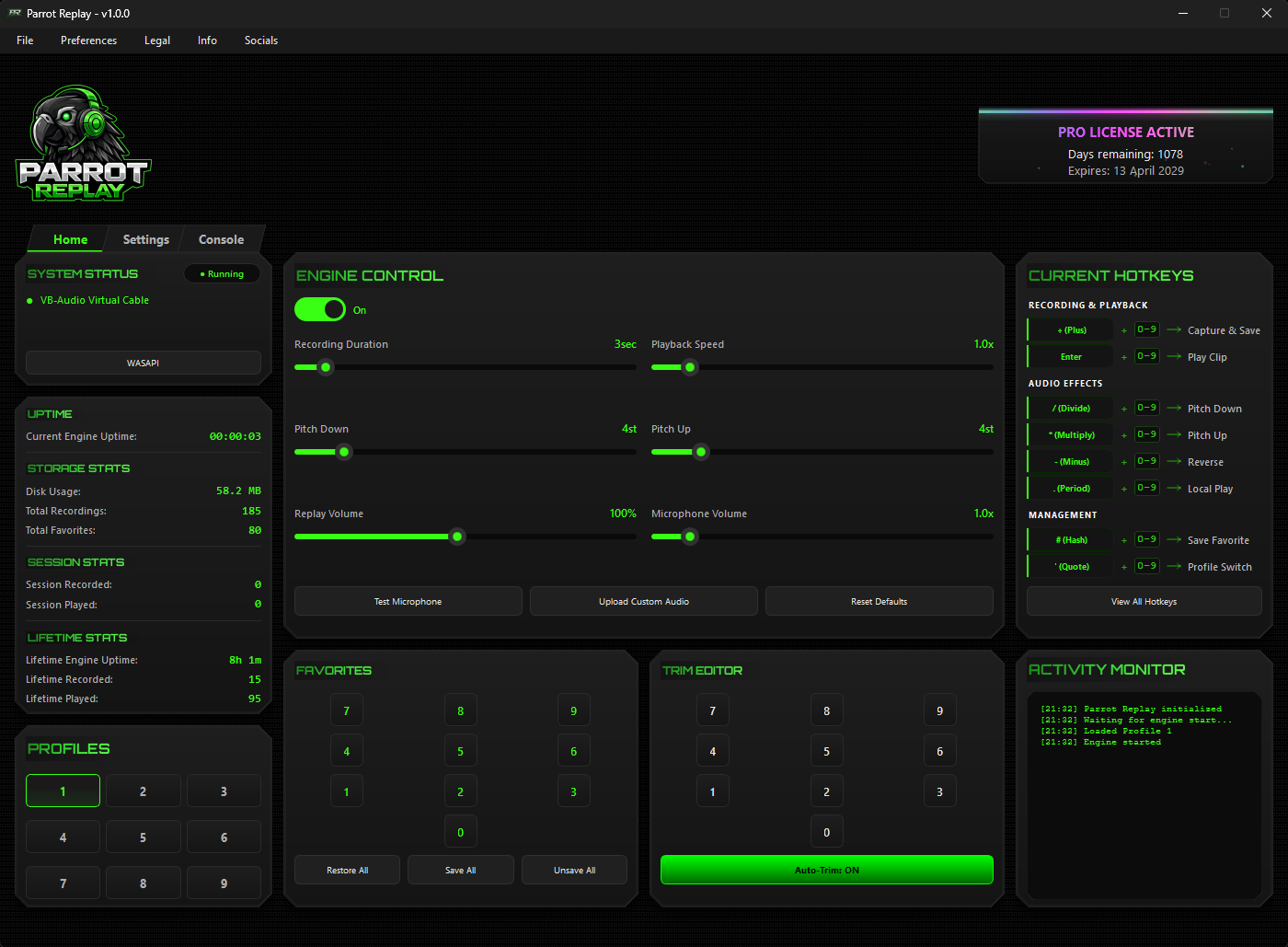
Everything, one glance away
Every clip, favorite, and profile lives in one clean window. See what's ready to replay without digging through menus.
Instant Replay
Capture and replay instantly with simple hotkeys.
Favorites System
Save clips so they aren't lost and restore them anytime.
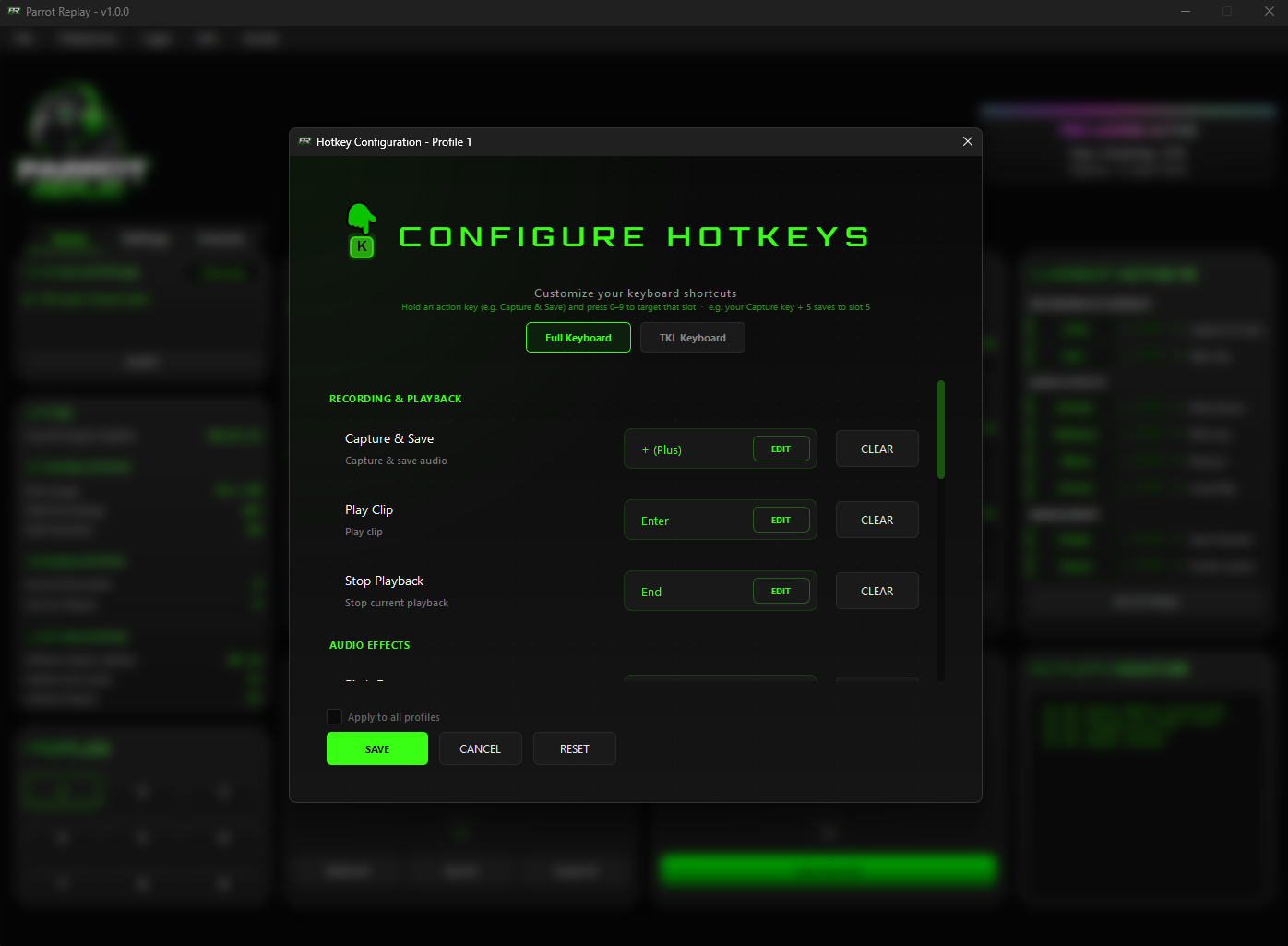
Hotkey Editor
Bind it your way
Assign any key to capture, replay, or stop playback. Apply the same setup across every profile in one click.
Custom Keybinds
Set any key for capture, playback, or stop.
9 Profiles
Keep separate hotkeys and setups for different games or apps.
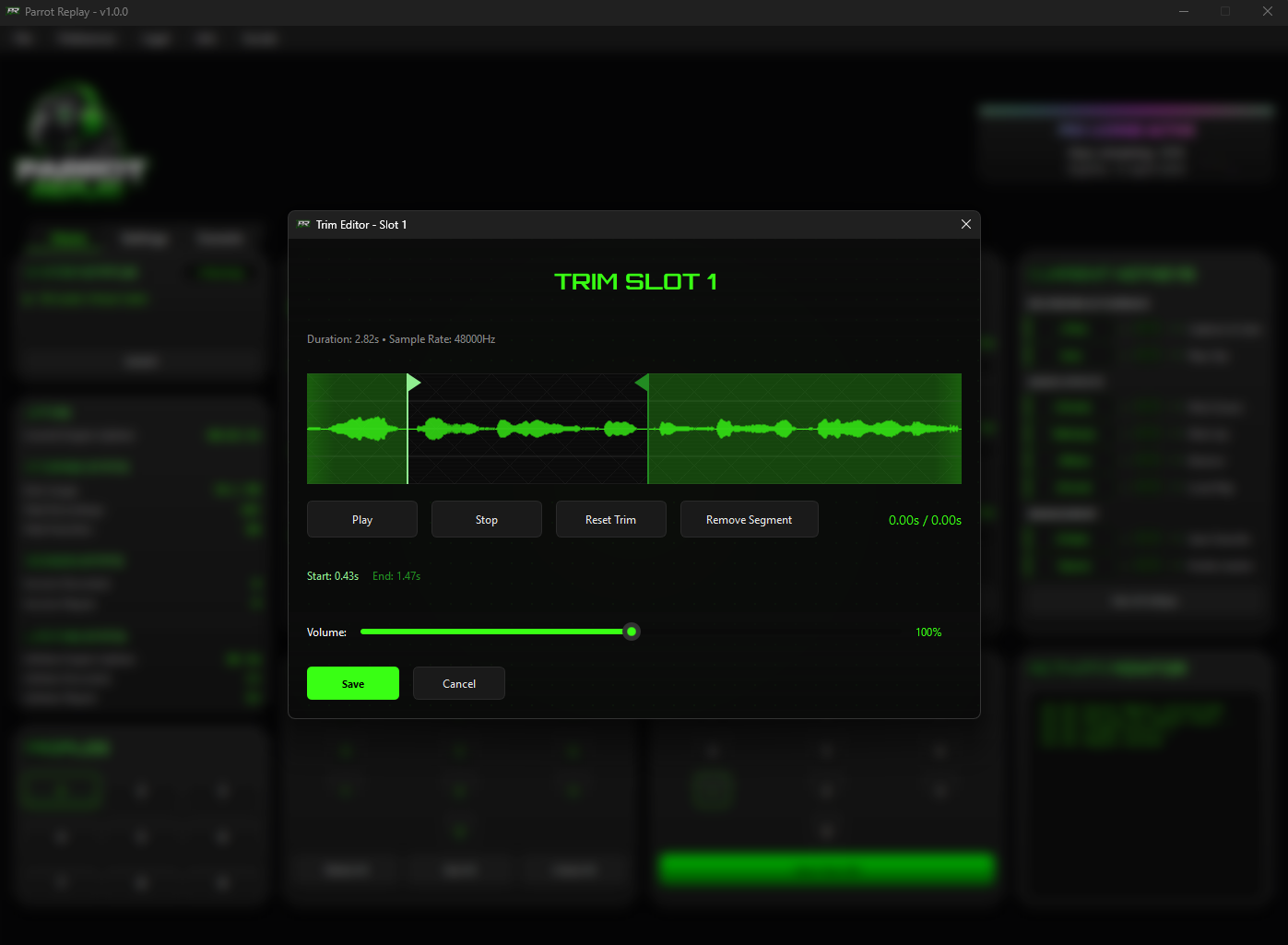
Trim Editor
Cut it down to the moment
Trim clips to the exact second and layer on effects before you save. Only the best part ever plays back.
Trim Editor
Trim clips quickly so only the best part plays.
Audio Effects
Apply pitch, speed, reverse, and wobble effects to any clip.
Workflow
Get up and running
A few minutes to set up, then you're ready to go
Setup
Install
Run the installer. The audio driver comes with it. Restart your PC once when prompted.
Download Parrot ReplayPick a Mode
Once your license is active, choose your microphone and output in-app based on the mode below.
How it works
Leave It Running
Turn on the engine. It runs quietly in the background, ready when you need it.
Capture & Replay
When something worth keeping happens, press your hotkey. It plays back instantly, trim it, add effects, or save it as a favorite.
Choose your capture mode
WASAPI
The quickest way to get started. Captures game and voice together using the included VB-Cable.
- Microphone: CABLE Output
- Speaker Output: Your headset or speakers
A + B
Separates your voice from game audio for cleaner, more precise replays.
- Microphone: CABLE Output
- Speaker Output: CABLE-B Input
*If you purchase the VB-Audio A+B driver through our link, we may receive a small commission at no extra cost to you.
Pricing
Simple transparent pricing
No monthly fees • Choose your term • Upgrade to PRO anytime

Standard License
Everything you need to get started · 3 profiles included
- Instant replay capture
- Real-time audio effects
- Trim clips in seconds
- 3 profiles for different setups
- Instant replay capture
- Real-time audio effects
- Trim clips in seconds
- 3 profiles for different setups
- Instant replay capture
- Real-time audio effects
- Trim clips in seconds
- 3 profiles for different setups

PRO License
Everything in Standard · 9 profiles · Export & import
- Everything in Standard
- 9 profiles for more clips and setups
- Export your full setup
- Import it anytime
- Everything in Standard
- 9 profiles for more clips and setups
- Export your full setup
- Import it anytime
- Everything in Standard
- 9 profiles for more clips and setups
- Export your full setup
- Import it anytime
Free to try · No account needed
Download Parrot Replay
Download, install, and start replaying instantly
Setup takes minutes, we guide you through it
Windows may show a warning on first launch
Click "More info" then "Run anyway"
Join Our Community
Get support, share clips, and stay updated on the latest features
FAQ